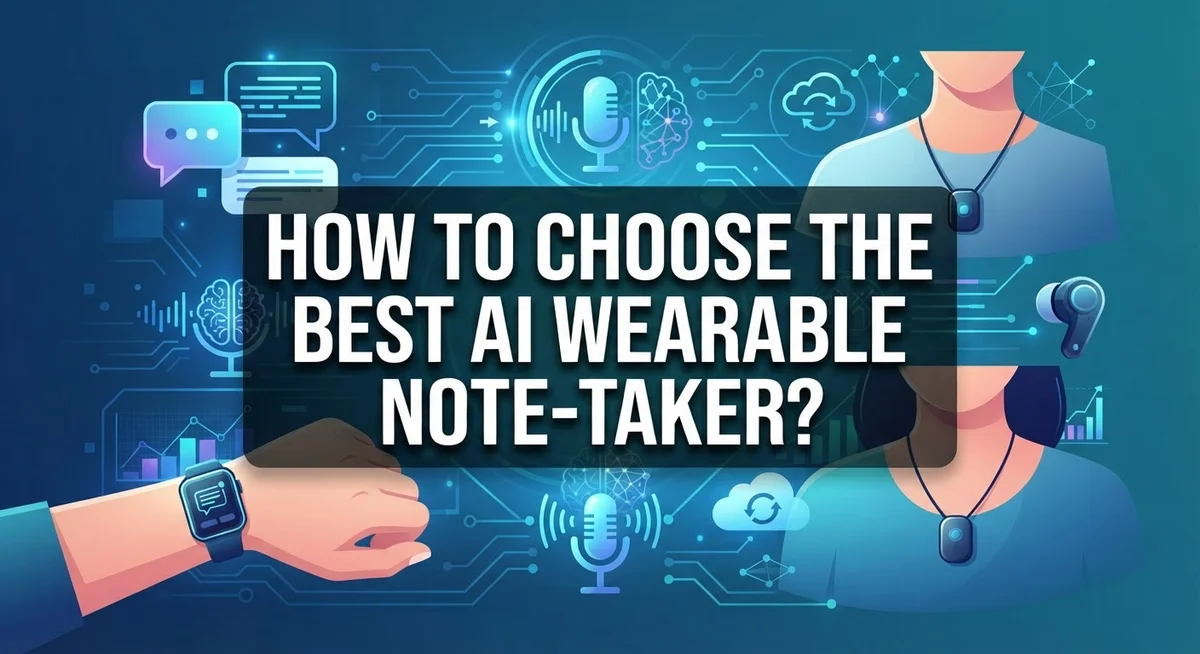
How to Choose the Best AI Wearable Note-Taker?
Do you forget important details from meetings and lectures? An AI wearable note-taker can fix that problem fast.
These small devices listen, record, and turn speech into text. Some even summarize entire conversations in seconds.
But here’s the catch. Not all note-takers work the same way.
Some are physical wearables you clip on or wear like a pin. Others are apps that run on your phone. Each option has its own strengths and weaknesses.
Physical devices often work better for meetings. They capture sound clearly, even in noisy rooms. App-based tools can struggle when multiple people talk at once.
Price matters too. You need to think about the device cost and any subscription fees that come with it.
This guide will walk you through everything you need to know. We will cover how to identify your main use case, set a realistic budget, and check recording quality needs.
You will also learn about common mistakes people make when choosing these tools. By the end, you will know exactly what to look for.
Ready to find the perfect note-taking companion? Let’s get started.
In a Nutshell
Choosing the right AI wearable note-taker does not have to feel confusing. Here is a quick summary to help you decide fast.
-
Know your use case first. Meetings, lectures, and interviews all need different features. This helps you narrow down your options quickly.
-
Physical devices often beat apps for meetings. They capture room audio better than phone apps. This makes a real difference in noisy spaces.
-
Budget includes more than device cost. Many tools need a monthly subscription too. Always add both costs before you decide.
-
Test summary accuracy before you commit. Some tools miss key details or add errors. A wrong summary can cause real problems later.
-
Recording environment matters a lot. Some devices struggle in loud rooms or large lecture halls. Check reviews for your specific setting.
-
Avoid common budgeting mistakes. Do not ignore ongoing fees when comparing options. This small oversight can cost you more over time.
Keep these points in mind. They will guide you toward a smarter, more informed choice.
What Is an AI Wearable Note-Taker and How Does It Work
An AI wearable note-taker is a device or app that captures your voice during conversations, meetings, or lectures. It records the audio and then uses artificial intelligence to convert your speech into written text automatically.
Here’s how the process works. First, the device or app picks up sound through a microphone. The AI then listens to that audio and recognizes the words you speak. This step is called transcription. The system converts spoken language into readable text in real time or shortly after recording ends.
Many of these tools go one step further. They summarize what was said so you don’t have to read through pages of notes. The AI identifies the most important points and creates a shorter version for you.
Physical wearables are small devices you clip to your shirt or wear like a pin. They sit close to your mouth, which means they pick up your voice more clearly than a phone sitting across a table. App based solutions run on your smartphone or computer instead.
The key difference? Physical devices often capture audio better in noisy meeting rooms. Apps work well if you’re recording in quiet environments or just want a backup option.
Most AI note-takers store your recordings in the cloud. This means you can access your notes from any device with an internet connection. Some systems let you search through old recordings by keywords, which saves time when you need to find something specific.
The technology uses natural language processing. This means the AI understands context and meaning, not just individual words. So summaries sound natural and capture what actually mattered in your conversation.
Wearable Devices vs. App-Based Note-Takers: Key Differences
Physical wearables and app based note takers serve the same goal but work in very different ways. Understanding these differences helps you pick the right tool for your situation.
Physical wearables are standalone devices you wear or clip to your clothing. They have built in microphones and processors. These devices record audio directly and often include their own storage. You can use them without your phone nearby. They typically connect to the internet later to sync your notes and summaries.
App based note takers live on your smartphone or computer. They use your device’s microphone to capture audio. These solutions require your phone to stay connected during recording. They process information through cloud servers almost immediately. You access everything through the app interface on your existing devices.
The hardware difference matters more than you might think. Physical wearables often capture clearer audio in loud environments like conference rooms or lecture halls. Their microphones are positioned close to speakers. App based solutions depend entirely on your phone’s microphone placement. If your phone sits across the room, audio quality drops significantly.
Processing speed varies too. Many app based solutions transcribe and summarize in real time as you record. Physical devices may process information after you sync them. This means app based tools show you summaries faster sometimes.
Cost structure differs between the two types. Physical wearables require upfront device purchases. App based solutions often start free but charge monthly for advanced features. Both may include subscription costs for cloud storage and premium summaries.
Portability also separates them. App based note takers go everywhere your phone goes. Physical wearables add a small item to carry. Some people prefer the simplicity of one less device. Others appreciate having a dedicated recording tool.
Your specific use case determines which approach works best for you.
Defining Your Primary Use Case Before You Choose
Your primary use case is the foundation of your entire decision. Before you look at any features or prices, ask yourself exactly how you plan to use this tool.
Are you recording business meetings? Lectures at school? Client calls? Casual conversations? Each scenario has different demands. Your answer shapes everything else.
Business meetings have unique challenges. You need clear audio in conference rooms with multiple speakers. The tool must capture everyone’s voice accurately, not just the person nearest to you. Meeting summaries need to highlight action items and decisions.
Lectures require different skills. You want to capture the instructor’s main points. Background noise from other students matters less. You need good organization for studying later.
Client calls demand confidentiality and accuracy. Every word matters because you might reference the conversation later. You need reliable transcription without errors.
Casual note-taking has looser requirements. You can tolerate some errors. You just want quick summaries for personal reference.
Understanding your context matters because it affects which device type works best. Physical wearables excel in loud meeting rooms. App based solutions work fine for quiet environments. Recording quality depends on your setting.
Your use case also determines what features you actually need. Some tools offer real time translation. Others focus on meeting summaries. Some provide speaker identification. You will waste money on features you never use if you do not know your primary purpose first.
Take time now to define this clearly. Write down your main use case. Identify secondary uses too. This clarity prevents buyer’s remorse later and helps you evaluate options objectively.
Step-by-Step Process for Evaluating Your Options
Start by listing what matters most to you. Do you need accuracy above all else? Do you want offline recording? Must the device be discreet? Write down your top three priorities.
Next, test the recording quality in your actual environment. If you attend loud meetings, visit a conference room and test how well different solutions capture speech. If you record lectures, sit in your classroom and run a trial. Environment testing reveals problems that specs alone won’t show.
Check the transcription accuracy rate for each option you’re considering. Many services let you try a free demo. Record a sample conversation and review how well the AI captures your words. Pay special attention to technical terms or industry jargon you use regularly.
Evaluate the subscription model carefully. Some charge monthly fees. Others ask for yearly payments. A few offer lifetime access. Calculate your true cost over one year, not just the upfront price.
Look at how the tool handles your data. Does it store recordings forever? Can you delete files? Does it encrypt your notes? Privacy matters, especially for confidential business calls.
Test the summary quality next. Read through several auto generated summaries. Are key points included? Does it miss important details? Accuracy varies widely between tools, so hands on testing beats reading reviews.
Finally, consider ease of use. Can you start recording with one tap? Does the app crash frequently? Is the interface confusing? A powerful tool that frustrates you daily won’t serve you well.
Spend time on each step. Your choice will impact your productivity for months or years ahead.
Essential Features and Accuracy Metrics to Assess
When you evaluate an AI wearable note-taker, focus on measurable performance indicators. Transcription accuracy is your first critical metric. Most solutions claim 95% accuracy or higher, but this varies based on audio quality and background noise. Test the device in your actual environment before committing. Record a sample meeting or lecture, then review how many words the system transcribed incorrectly.
Summary quality matters just as much as transcription accuracy. A perfect transcript means nothing if the summary misses key points. Check whether the summaries capture action items, decisions, and important details. Some systems excel at transcribing but fail at identifying what actually matters in your conversation.
Processing speed affects your daily workflow. Some note-takers deliver transcripts within minutes. Others take hours. If you need summaries immediately after meetings, this becomes essential.
Speaker identification is another feature worth assessing. Can the device distinguish between different speakers? This matters tremendously in group meetings. Poor speaker labeling makes your notes confusing later.
Audio quality metrics tell you how well the device handles background noise. Test recording in your typical environments. Try a quiet office, a busy conference room, and anywhere else you’ll actually use it.
Check the confidence scores or accuracy ratings the system provides. Better tools show you when they’re uncertain about specific words or phrases. This transparency helps you know which sections need manual review.
Cloud storage reliability deserves attention too. How secure is your data? How long does the system keep recordings? Can you export your notes easily?
Finally, evaluate the user interface. A powerful tool becomes frustrating if navigation is confusing. Spend time with the actual interface before deciding.
Recording Environment Considerations That Impact Performance
Recording environment quality directly affects how well your AI wearable note-taker performs. Understanding this relationship helps you make a smart choice.
Background noise is the primary enemy. Devices work differently depending on whether you’re in a quiet office, a bustling coffee shop, or a conference room with multiple speakers. Some solutions handle ambient noise better than others. Test your specific environment before committing to any option.
Microphone placement matters significantly. A device worn on your collar captures sound differently than one held in your hand. Physical wearables positioned near your mouth typically pick up your voice more clearly. This positioning also reduces unwanted background sounds.
Audio frequency response affects transcription accuracy. Some environments have particular sound challenges. High ceilings create echo. Hard surfaces bounce sound waves. Carpeted rooms absorb sound differently. Your AI note-taker needs to handle these acoustic variations.
Room size influences performance too. Large conference rooms require different microphone sensitivity than small offices. Crowded spaces with multiple conversations create complexity. The device must distinguish your speaker from other voices.
Humidity and temperature rarely matter, but dust can damage microphones over time. Environmental stability helps maintain consistent quality.
Test your actual recording space before purchasing. Most solutions offer free trials or demos. Record a sample meeting or lecture in your real environment. Listen to the transcription output. Check if the summary captures key points accurately.
Consider whether your environment is fixed or changes frequently. If you move between locations, you need flexibility. Some devices adapt better to variable conditions than others.
Understanding your recording environment prevents disappointment. It ensures the AI note-taker you choose actually works where you’ll use it most.
Common Mistakes to Avoid During Selection
Choosing an AI wearable note-taker requires avoiding several critical mistakes that can lead to poor results or wasted money. Understanding these pitfalls helps you make a smarter decision.
Don’t rely only on marketing claims. Many solutions promise perfect accuracy, but real world performance varies significantly. Test the transcription and summary quality yourself before committing. Use free trials to see how the tool handles your specific speech patterns and accent. Record a sample meeting or lecture, then review the output carefully.
Ignoring subscription costs is a major error. The device itself might seem affordable, but monthly or annual fees add up quickly. Calculate the total cost of ownership over one year. Some solutions charge per minute of recording. Others use a flat monthly rate. Factor this into your budget from the start.
Overlooking your actual recording environment causes problems. A tool that works great in quiet offices might fail in noisy conference rooms or lecture halls. Test the device in the spaces where you’ll actually use it most. Background noise, echo, and room acoustics all impact performance. What works for someone else might not work for you.
Skipping the free trial phase is another mistake. Most solutions offer trial periods for a reason. Use this time to evaluate ease of use, battery life, and cloud sync reliability. Check how quickly the system processes recordings. Verify that summaries capture the key points you need.
Assuming all wearables perform identically is incorrect. Different devices use different AI models and microphone quality. Physical wearables often outperform app only solutions in noisy settings. Compare actual performance metrics, not just feature lists. Take time to test multiple options side by side before deciding.
Troubleshooting Accuracy and Performance Issues
When your AI wearable note-taker produces inaccurate transcriptions or slow performance, several practical fixes can help. Start by checking your microphone placement. Move the device closer to the speaker’s mouth, ideally within 12 inches. Distance and angle directly impact what the system captures.
Background noise is often the real culprit. If you’re in a busy environment, find a quieter space or use noise suppression features if available. Many solutions include settings to filter out ambient sounds like traffic or machinery. Test these settings before your next important meeting.
Verify your audio quality settings. Some systems let you adjust recording quality, which affects both accuracy and file size. Higher quality recordings produce better transcriptions, but they also require more storage and processing time. Find the balance that works for your needs.
Check your internet connection. Cloud based systems need stable connectivity to process audio quickly. A weak connection causes delays and sometimes incomplete uploads. Restart your device if performance suddenly drops.
Clear your cache and storage regularly. Accumulated files can slow down processing speed. Delete old recordings you no longer need, especially if storage is filling up.
Test accuracy with known content. Record yourself reading a simple paragraph, then review the transcription. This shows you exactly how well the system handles your voice and accent.
Update your software regularly. Developers release improvements that fix accuracy issues and boost performance. Check for updates weekly.
If problems persist after trying these steps, contact support with specific examples. Tell them when accuracy fails, what environment you’re in, and what settings you’re using. This information helps them diagnose the real issue quickly.
Final Thoughts
Choosing the best AI wearable note taker comes down to knowing your needs first. Think about where you will use it most. Meetings, lectures, or interviews all have different demands.
Your budget matters just as much as features. Look beyond the device price. Check monthly or yearly subscription costs too.
Physical wearables often perform better in meeting settings. Apps can work well for simple tasks. But devices tend to capture clearer audio in busy rooms.
Accuracy should guide your final decision. A device with great reviews but poor transcription quality wastes your time. Always test before you commit fully.
Don’t skip the trial period. Most companies offer free trials for good reason. Use this time to test real world conditions you will actually face.
Record a meeting. Record a lecture. Check how well the tool handles background noise and multiple speakers.
Compare a few options side by side. With more than ten solutions available today, you have room to choose wisely. Don’t settle for the first product you see advertised.
Think about long term value too. A cheaper device with expensive subscriptions may cost more over a year. Calculate total costs before buying anything.
Your final choice should match your daily routine. Busy professionals need different features than students. Match the tool to your actual lifestyle, not just trending options.
Take your time with this decision. Test thoroughly. Compare pricing and accuracy together. Read real user experiences, not just marketing claims.
The right AI wearable note taker saves you hours each week. Choose based on facts, testing, and honest comparisons. This approach leads to lasting satisfaction with your purchase.
Frequently Asked Questions
What’s the difference between wearable devices and app-based note-takers?
Physical wearables are small devices you wear on your body. They record audio directly and process it locally. App-based solutions run on your phone or computer. Both transcribe and summarize your notes, but devices often perform better in noisy meeting environments. Apps give you flexibility and lower upfront costs. Devices offer better battery life and consistent performance. Your choice depends on where you’ll use it most.
How do I know if the transcription accuracy is actually good?
Don’t trust marketing claims alone. Test the tool with your own content first. Most solutions offer free trials for this reason. Record a short meeting or lecture. Compare the transcription to what was actually said. Check if technical terms and names are spelled correctly. Accuracy varies significantly between solutions, so hands-on testing matters more than reviews.
Should I worry about ongoing subscription costs?
Yes. The device price is only part of the expense. Many solutions charge monthly or yearly fees for advanced features like unlimited transcriptions or premium summaries. Calculate the total cost over a year before deciding. A cheap device with expensive subscriptions might cost more than you expect. Budget for both hardware and software from the start.
Can these tools work in noisy environments like conferences?
Performance depends on your specific tool and the noise level. Some handle background chatter better than others. If you’re in a loud space, find a quieter corner when possible. Consider tools designed for busy environments. Test your chosen solution in your actual working conditions before committing to it.
How long should I test before making a final choice?
Use the free trial for at least one week. Record several real meetings or lectures. Compare at least two or three options side by side. This gives you enough data to spot accuracy problems and usability issues. Don’t rush this step. Your daily productivity depends on choosing the right fit.

DK is the founder and editor of NeuralTechFinds, a tech enthusiast with a deep passion for AI-powered gadgets, smart devices, and everything that makes everyday life more connected and efficient. When not testing the latest tech products, DK is busy researching emerging trends to help readers make smarter, well-informed buying decisions.